Terminal & AI Agents
Multi-Agent Terminals
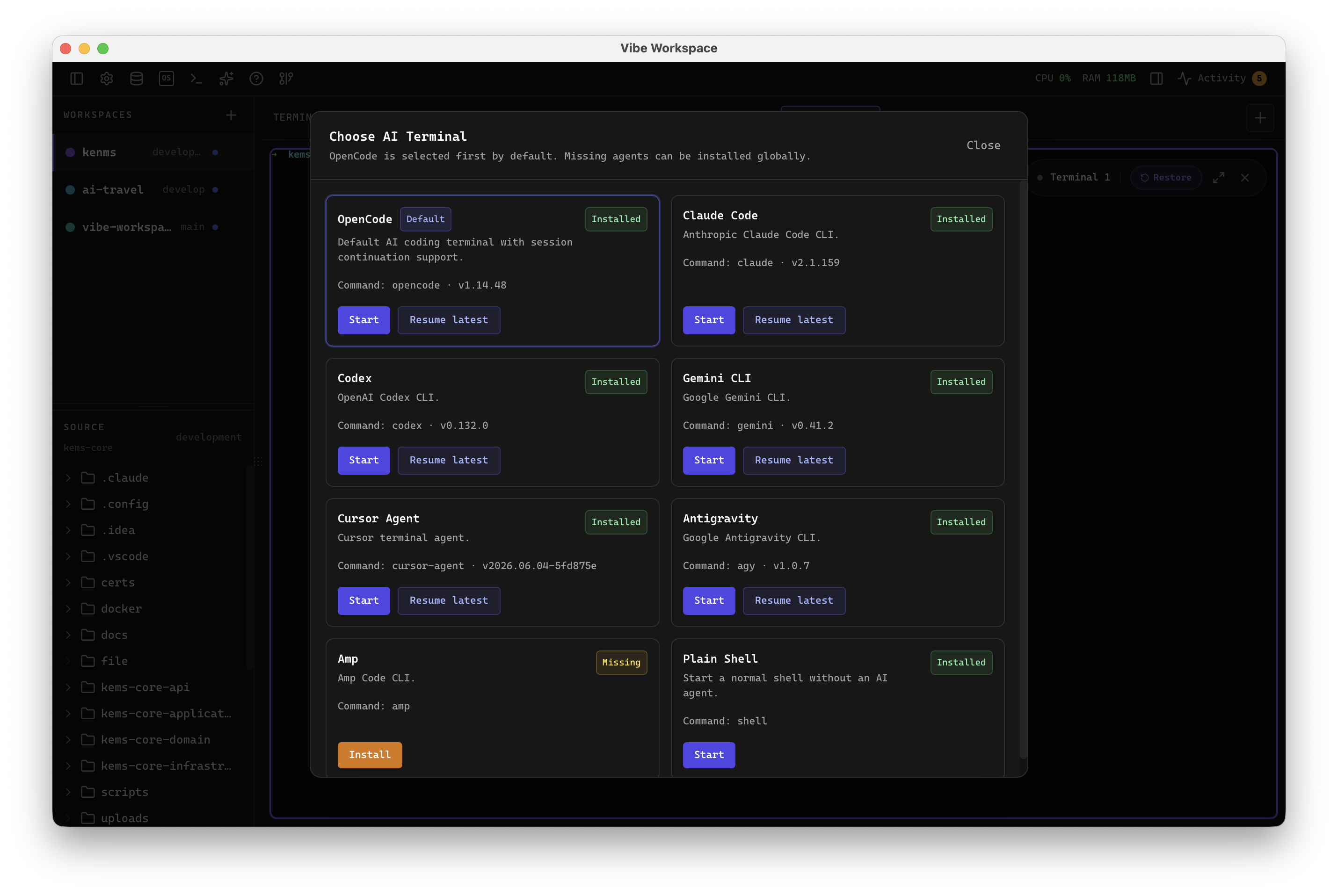
Run Claude Code, Codex, Gemini CLI, and Amp in dedicated terminal tabs with custom colors and status indicators.
Learn moreEvery feature is built to eliminate context switching and keep you in flow. Explore what makes VibeWorkspace the fastest way to build software with AI.
The most-used parts of VibeWorkspace: multi-agent terminals, activity logs, session continuity, AI diffs, database context, and project control.
Run Claude Code, Codex, Gemini CLI, and Amp in dedicated terminal tabs with custom colors and status indicators.
Learn moreView terminals in 2x2 grid, side-by-side columns, rows, single fullscreen mode, or resizable panes.
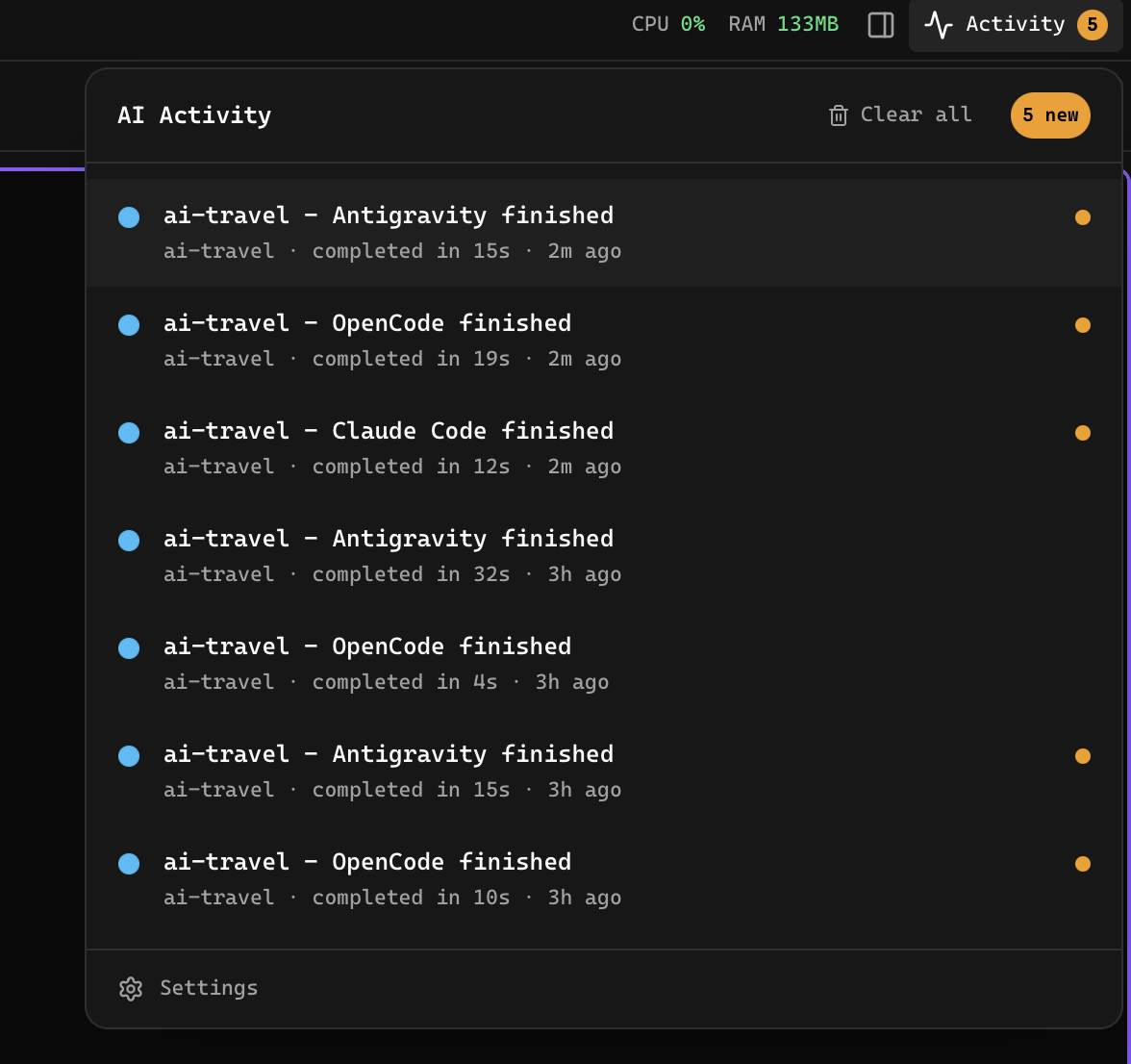
Learn moreReal-time activity feed showing terminal completions and AI-generated files across all projects with one-click navigation.
Learn moreCreate named channels where AI agents and you communicate in real time with mentions, orchestration, and multi-turn coordination.
Learn moreStart multi-agent workflows from built-in templates across review, build, test, and ops categories.
Learn moreClose and reopen the app while AI terminals keep prior conversation scrollback, resume actions, and auto-restart options.
Learn moreRead terminal output in a focused view with markdown rendering, reading themes, adjustable fonts, and built-in AI chat.
Learn morePin movable, resizable, color-coded notes alongside terminal reader output, saved per session and searchable across projects.
Learn moreOne-click recording for every AI terminal with chat-style replay and export to Markdown, HTML, or short-form video.
Learn moreWork on multiple projects simultaneously with instant switching and preserved workspace state per project.
Learn moreSpawn real language servers for projects you opt into, with project-aware errors and fewer false positives.
Learn moreAccess your workspace from any device, pair via QR code, manage devices, and toggle the remote server.
Learn moreScan the current project, suggest build settings, and deploy with inline logs without leaving the workspace.
Learn moreManage saved SSH hosts, inspect loaded keys, generate keys, and see what is available before opening remote projects.
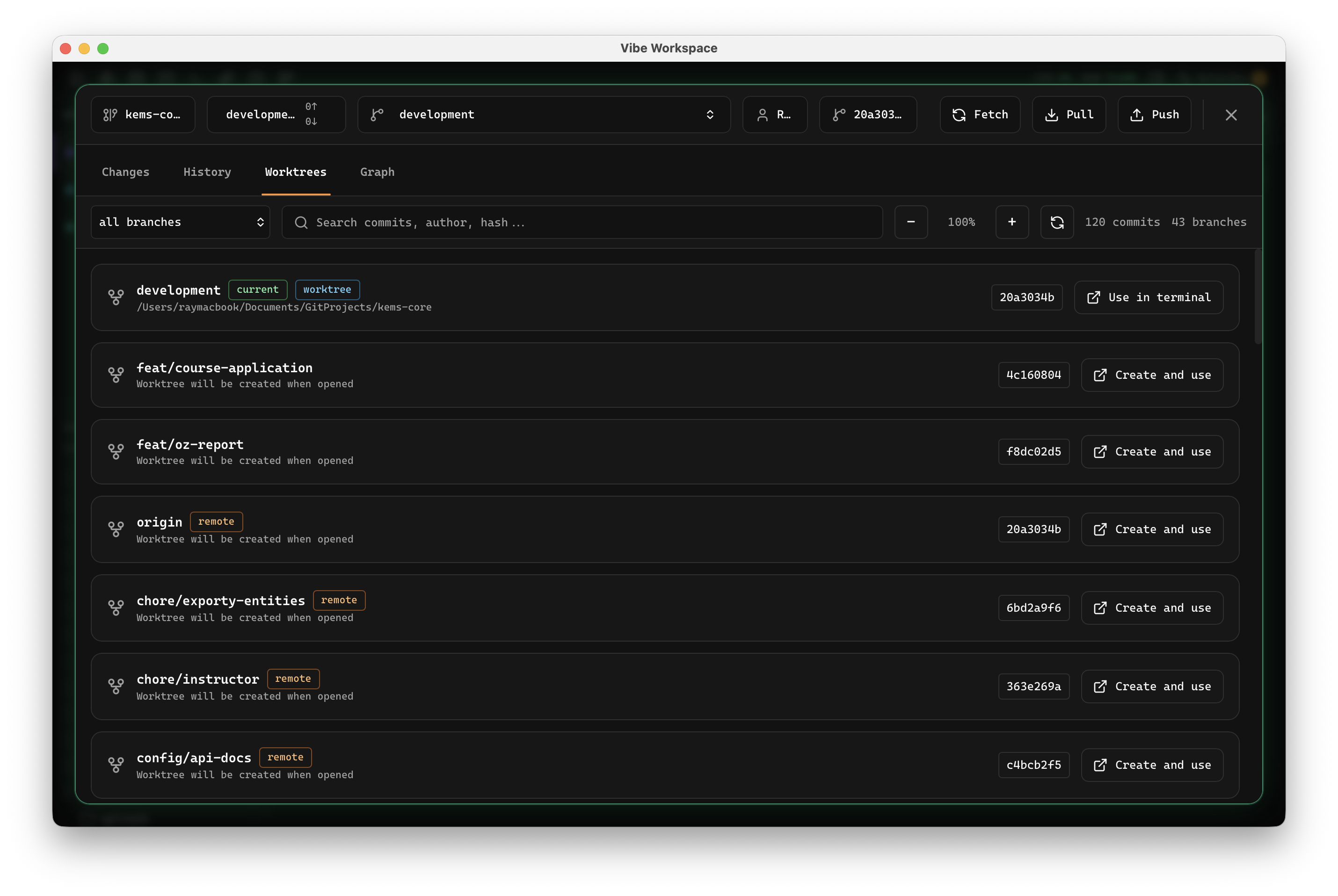
Learn moreRun multiple branches of the same repo side-by-side, each with its own files, terminals, and dirty state.
Learn moreLock projects to specific GitHub accounts so fetch, pull, push, and publish use the right identity.
Learn moreMirror a live iOS simulator directly inside the workspace next to terminals, code, and database tools.
Learn morePostman-like request builder with method selector, custom headers, body editor, and auth support.
Learn moreConnect to PostgreSQL, MySQL, MongoDB, Redis, Elasticsearch, ClickHouse, Cassandra, SurrealDB, Weaviate, InfluxDB, Kafka, CouchDB, and MSSQL.
Learn moreUse a tabbed database workspace with connection rail, table list sidebar, and query tabs.
Learn moreView containers with status indicators, one-click start/stop/restart, and resource monitoring gauges.
Learn moreDrag-and-drop design canvas with a component palette, property inspector, and layers panel.
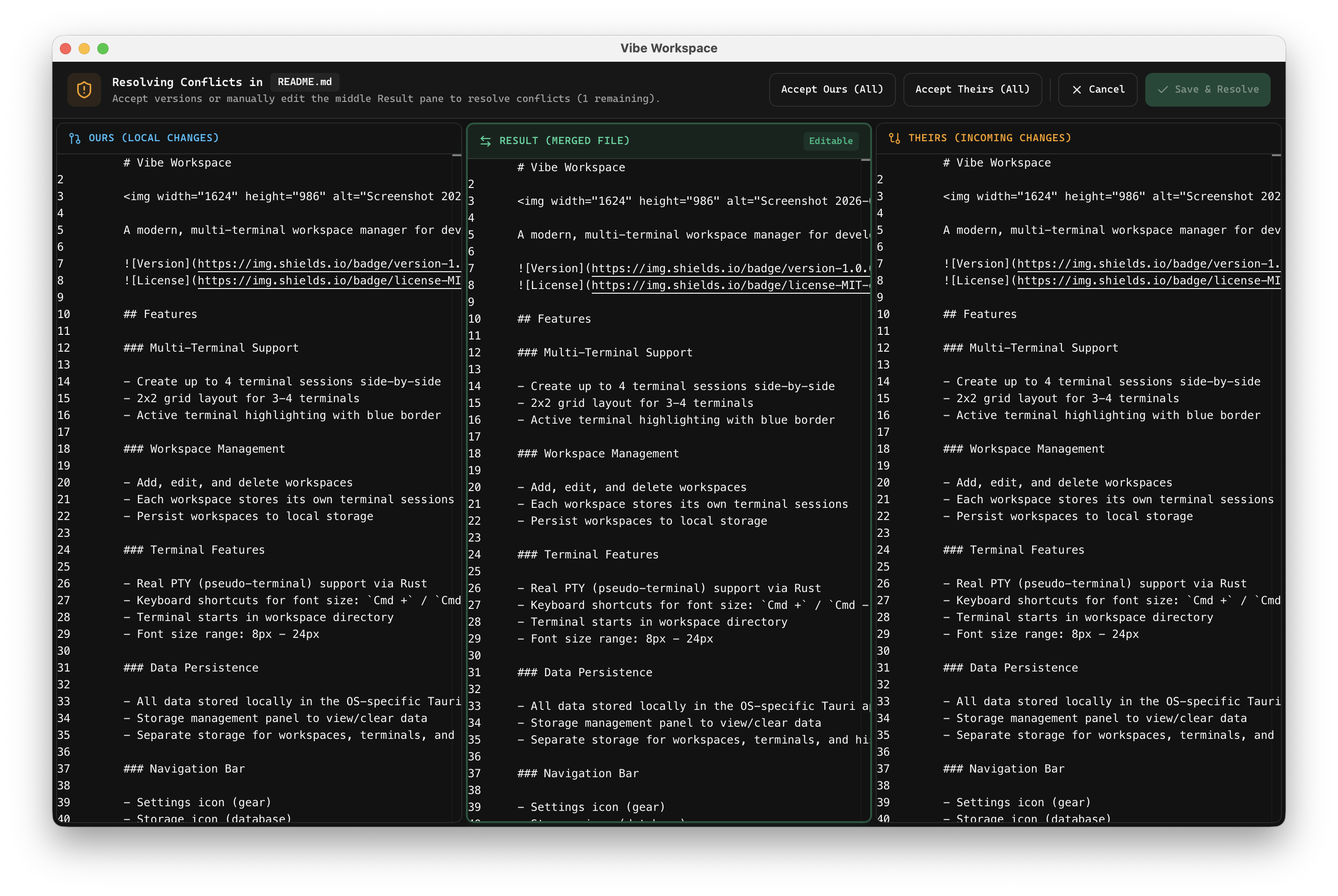
Learn moreSolve Git merge conflicts visually with multi-agent context and automated three-way merge assistance.
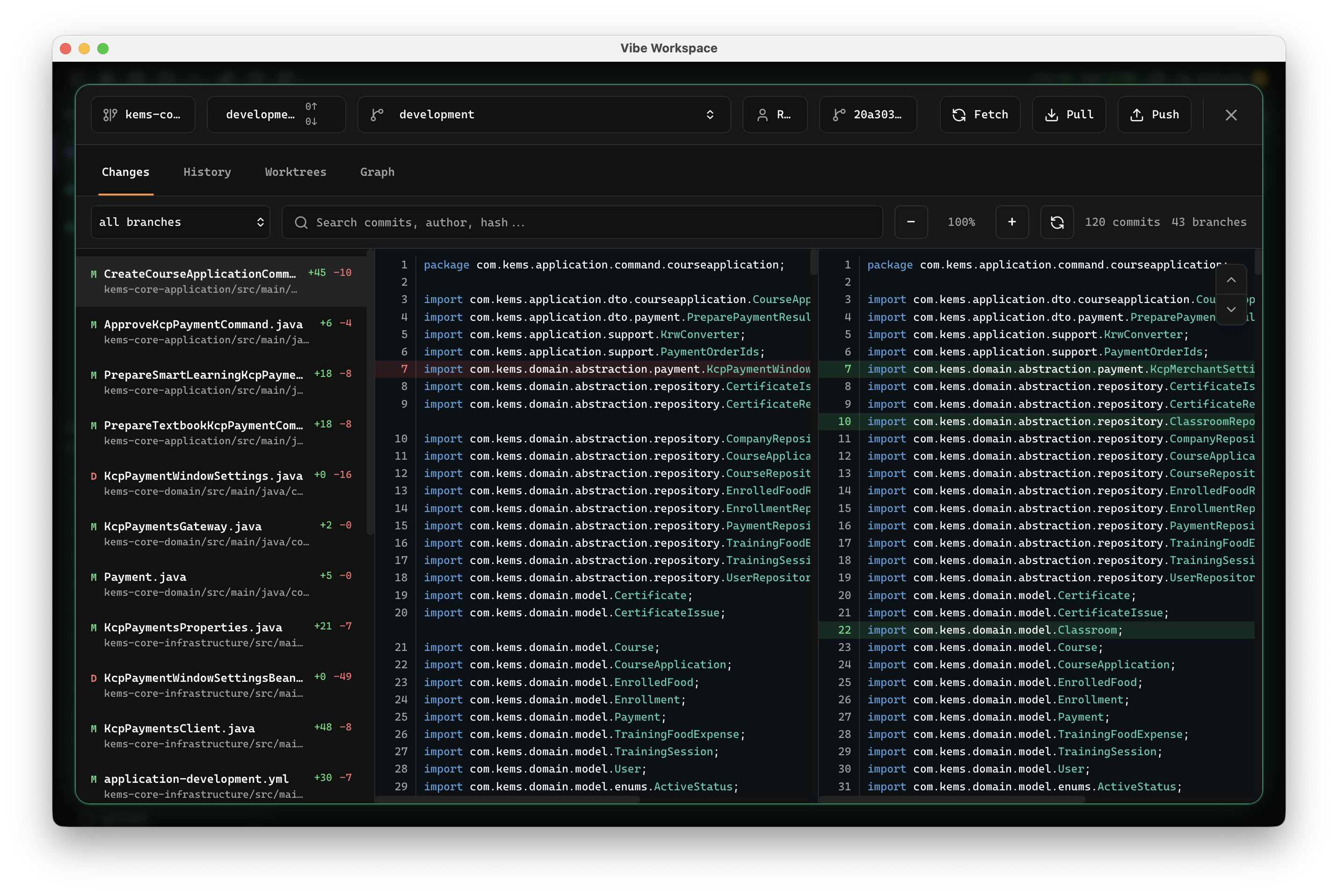
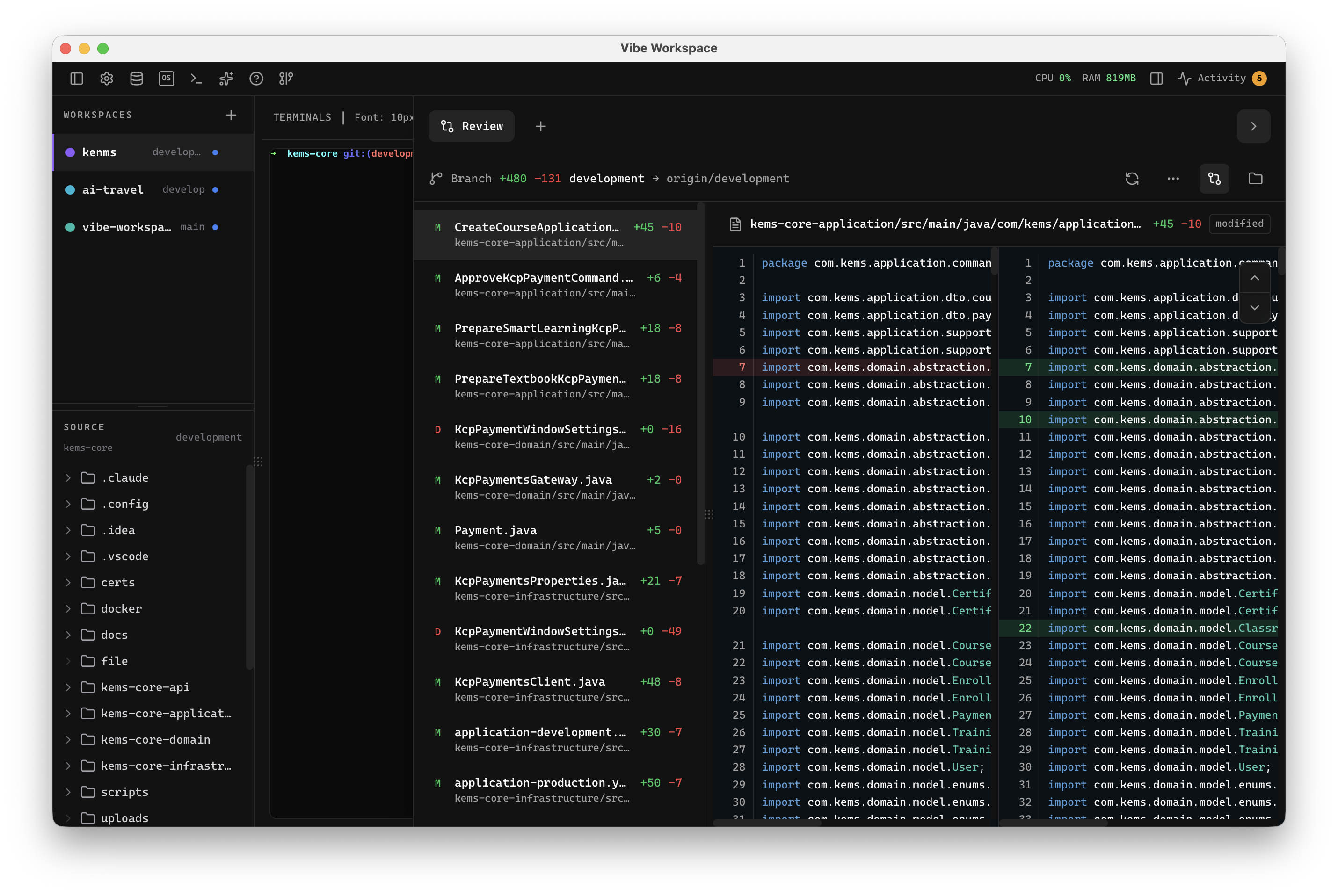
Learn moreTrack every file modification any AI agent makes and review, accept, or revert work per file.
Learn moreFilter by category or search by feature name, tool, workflow, or capability.
Run multiple AI agents and terminals side-by-side with real PTY support.
Run Claude Code, Codex, Gemini CLI, and Amp in dedicated terminal tabs with custom colors and status indicators.
Learn moreView terminals in 2x2 grid, side-by-side columns, rows, single fullscreen mode, or resizable panes.
Learn moreKanban-style board view of all terminal statuses: idle, running, and review, with real-time polling.
Learn moreTerminal sessions persist across app restarts with full scrollback history through tmux integration.
Learn moreReal-time activity feed showing terminal completions and AI-generated files across all projects with one-click navigation.
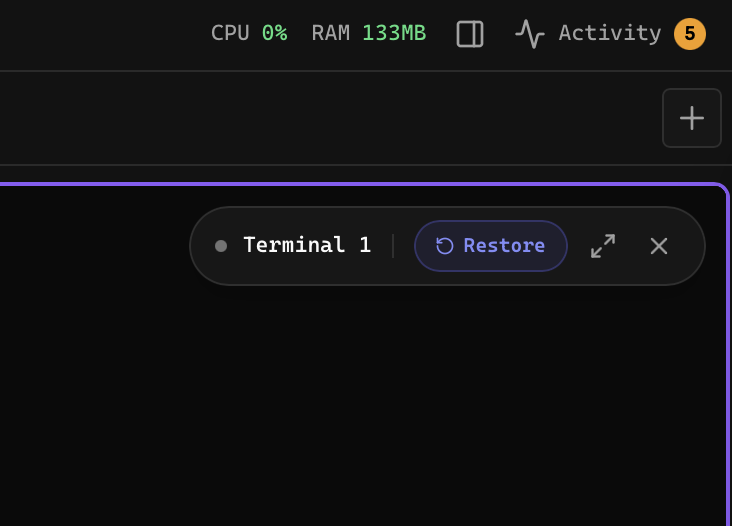
Learn moreHide inactive terminals to declutter your workspace, then restore them instantly from the hidden terminals menu.
Learn moreCreate named channels where AI agents and you communicate in real time with mentions, orchestration, and multi-turn coordination.
Learn moreStart multi-agent workflows from built-in templates across review, build, test, and ops categories.
Learn morePause a running channel workflow mid-execution without losing context, then resume exactly where the operator stopped.
Learn moreDrag files, folders, or projects into the AI prompt box as path mentions. Images attach as previews automatically.
Learn moreSend files, browser logs, network activity, errors, and screenshots to any AI agent terminal from one context-rich dialog.
Learn moreGet notified the instant an AI agent finishes a task or generates a file, with one-click navigation to the result.
Learn moreSend commands to any running terminal and stream live output to your phone so you can monitor builds on the go.
Learn moreClose and reopen the app while AI terminals keep prior conversation scrollback, resume actions, and auto-restart options.
Learn moreRead terminal output in a focused view with markdown rendering, reading themes, adjustable fonts, and built-in AI chat.
Learn morePin movable, resizable, color-coded notes alongside terminal reader output, saved per session and searchable across projects.
Learn moreOne-click recording for every AI terminal with chat-style replay and export to Markdown, HTML, or short-form video.
Learn moreDrop files or folders onto terminals to insert escaped paths. AI terminals get mention syntax automatically.
Learn moreA floating pill appears when you scroll up, letting you snap back to the live tail without covering TUI apps.
Learn moreSee every MCP tool call as a live badge with tool name, pulsing status, elapsed time, and a detail panel.
Learn moreWheel scroll moves the terminal directly and drag selects text natively without tmux copy-mode interruptions.
Learn moreQuick-launch buttons for Claude, Codex, Gemini, Amp, OpenCode, bash, new terminal, and terminal settings.
Learn moreSave unmatched commands as custom presets directly from the new terminal dialog and launch immediately.
Learn moreWhen an AI CLI spawns a nested sub-agent, see the call chain and open a live-tail viewer of that sub-agent log.
Learn moreScan live terminals across projects on a pannable, zoomable canvas with grouping, filtering, and inactive previews.
Learn moreHover over a terminal in the project sidebar to preview the latest output without changing focus.
Learn moreOrganize projects, browse files, and manage your workspace.
Work on multiple projects simultaneously with instant switching and preserved workspace state per project.
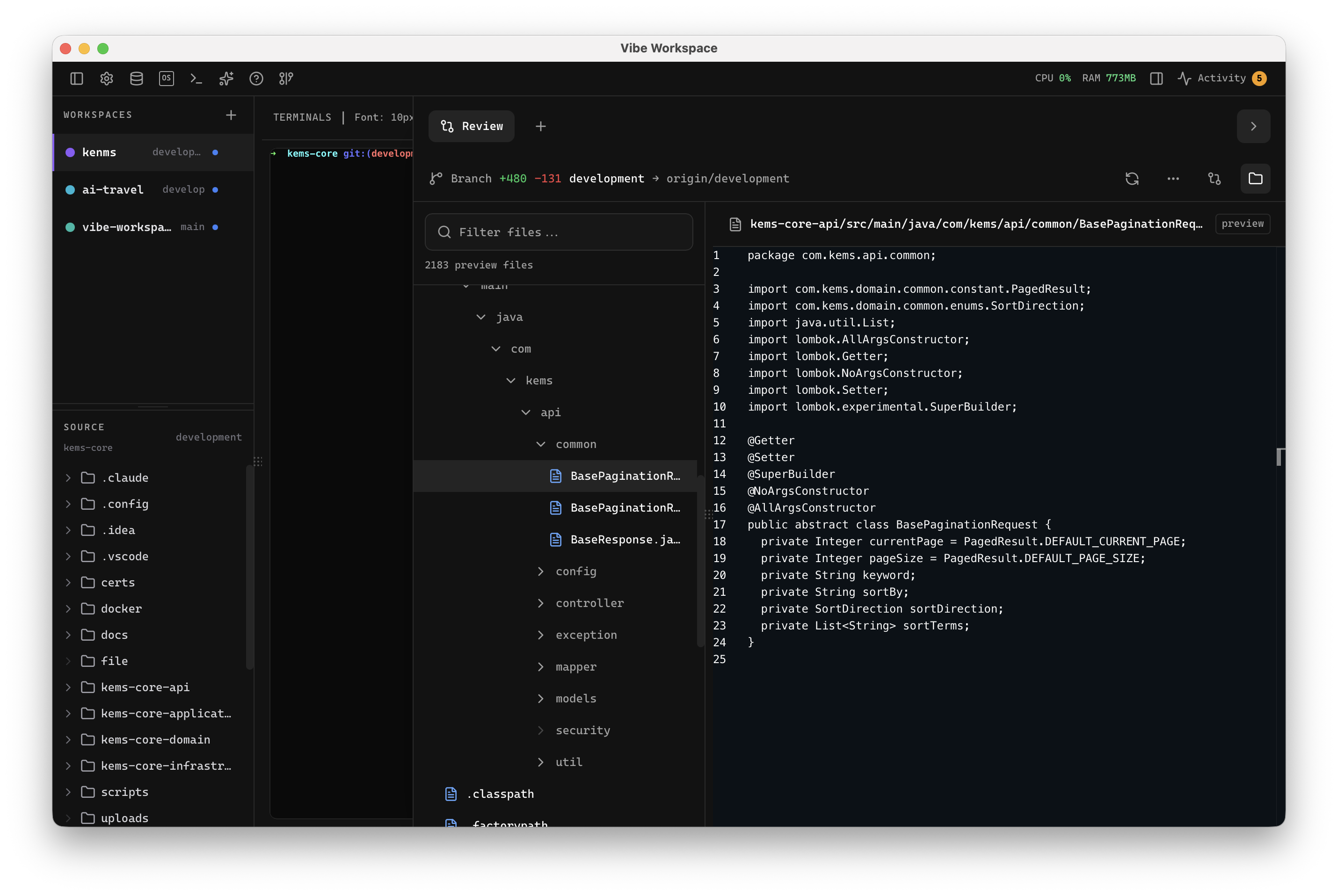
Learn moreReal-time file tree with type icons, gitignore filtering, search, and right-click context menus.
Learn moreSpawn real language servers for projects you opt into, with project-aware errors and fewer false positives.
Learn moreAssign visual colors to each project for quick identification across your workspace.
Learn moreUse presets for focus, terminal, web dev, API dev, database work, or create your own.
Learn moreAccess your workspace from any device, pair via QR code, manage devices, and toggle the remote server.
Learn moreBrowse projects, see terminal statuses, and navigate your workspace from a phone or tablet dashboard.
Learn moreScan the current project, suggest build settings, and deploy with inline logs without leaving the workspace.
Learn moreManage saved SSH hosts, inspect loaded keys, generate keys, and see what is available before opening remote projects.
Learn moreAdd a remote folder as a first-class project so terminals, files, and workflows start on the target machine.
Learn moreBrowse repositories from a saved GitHub account and clone one into a new project in a single flow.
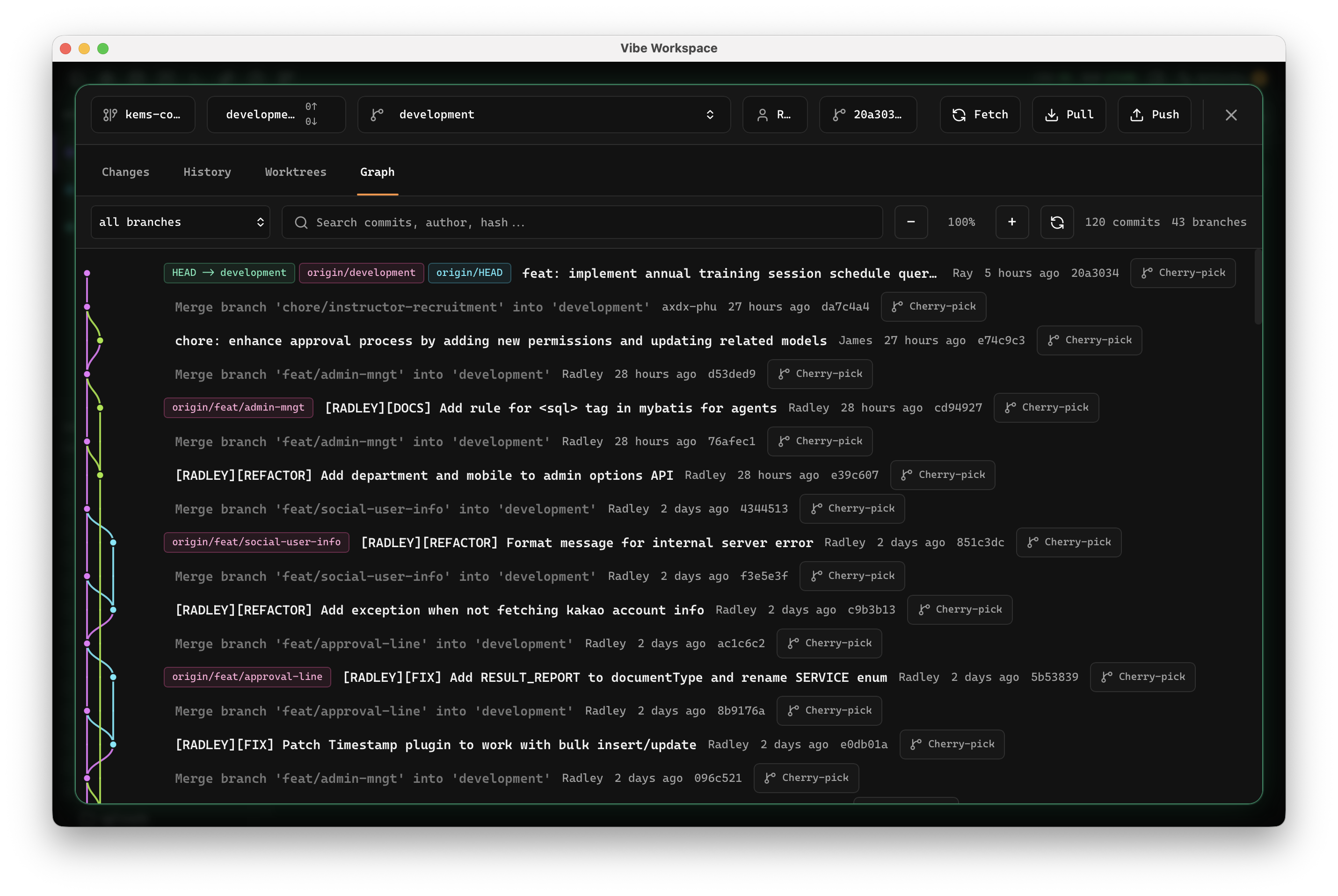
Learn moreSee staged, unstaged, and untracked files at a glance and stage individual files with a click.
Learn moreRun multiple branches of the same repo side-by-side, each with its own files, terminals, and dirty state.
Learn moreLock projects to specific GitHub accounts so fetch, pull, push, and publish use the right identity.
Learn moreMirror a live iOS simulator directly inside the workspace next to terminals, code, and database tools.
Learn morePreview Android emulator support directly inside the workspace with a dedicated panel.
Learn moreUnread terminal events appear as inline chips that jump straight to the source terminal.
Learn moreScan the codebase for TODO, FIXME, BUG, HACK, NOTE, and OPTIMIZE annotations in one organized panel.
Learn moreWhen the sidebar is hidden, an icon rail remains so you can jump to panels and re-expand quickly.
Learn moreHide the editor panel to full-screen terminals while a slim status bar keeps restore actions available.
Learn moreRender before and after panels for image changes in commits or uncommitted work.
Learn moreA system tray item shows active AI agents and lets you jump straight to any active terminal.
Learn moreSee every open project on one screen with live activity counts for terminals, tabs, requests, and databases.
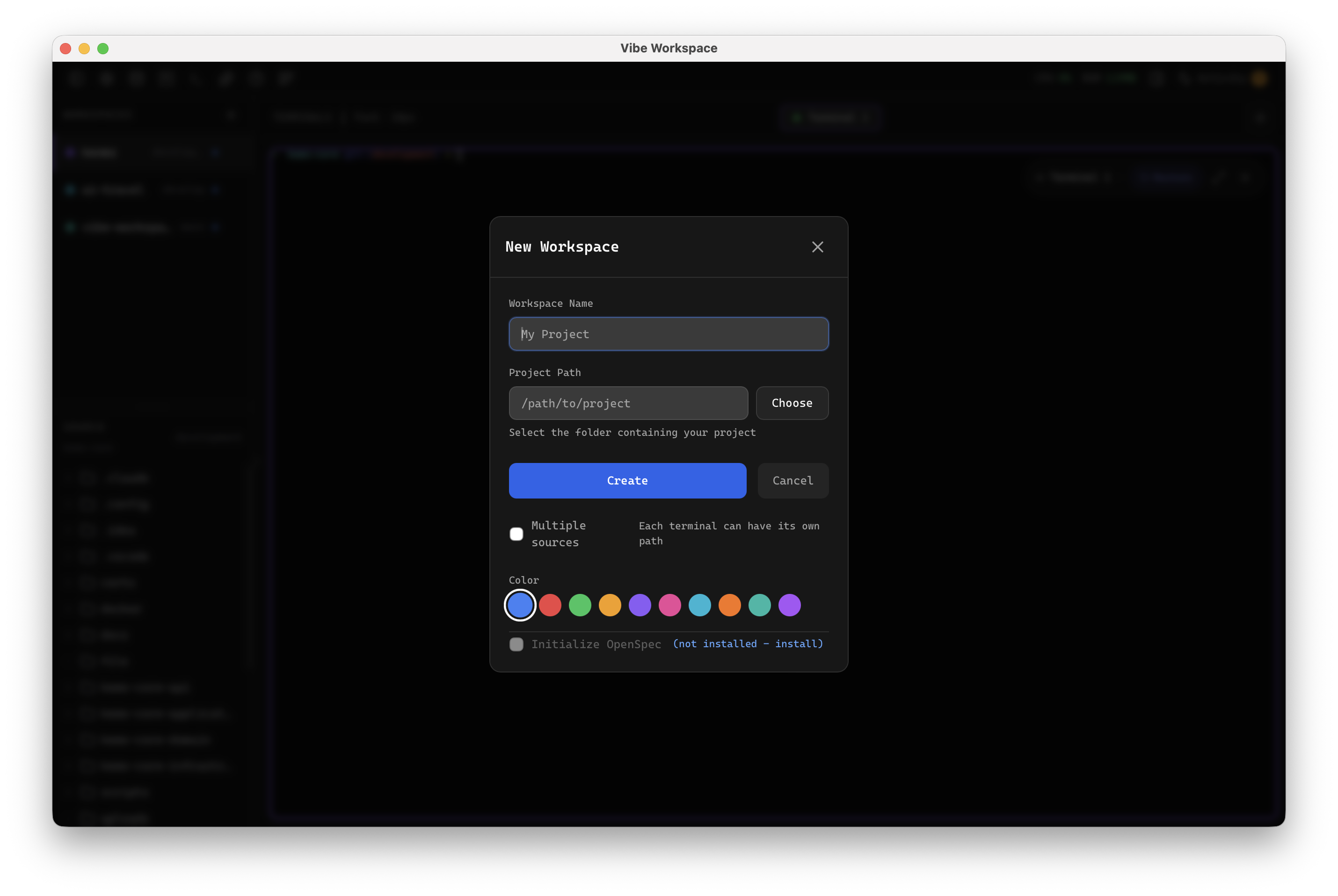
Learn moreWelcome-screen tiles open folder, create new, clone Git repo, connect SSH, or start from template.
Learn moreSend a project to Server Compass for VPS deployment after local validation of Docker and environment files.
Learn moreLaunch files in VS Code, Cursor, Zed, Sublime Text, WebStorm, or your preferred detected editor.
Learn moreOrganize projects into named, color-coded groups and nested groups that remember collapsed state.
Learn moreFilter projects and groups by name in real time, auto-expanding collapsed matches.
Learn moreOpen a modal with bundled third-party license text from Settings > About.
Learn moreBuild, test, and debug API requests without leaving your workspace.
Postman-like request builder with method selector, custom headers, body editor, and auth support.
Learn moreInspect formatted JSON, headers, status codes, latency, and response structure with a readable tree viewer.
Learn moreOrganize API work in nested collections with folders, saved tabs, request history, and reusable environments.
Learn moreBring existing API collections into the workspace and export them back out without rebuilding request libraries.
Learn moreOpen supported collection files directly from the file explorer with hierarchy and environments preserved.
Learn moreQuery and manage 13 database engines from one unified interface.
Connect to PostgreSQL, MySQL, MongoDB, Redis, Elasticsearch, ClickHouse, Cassandra, SurrealDB, Weaviate, InfluxDB, Kafka, CouchDB, and MSSQL.
Learn moreSQL editor with syntax highlighting, auto-formatting, multi-tab workspace, and exportable result grids.
Learn moreBrowse schemas, preview data, filter tables, and edit rows directly in the results grid.
Learn moreUse a tabbed database workspace with connection rail, table list sidebar, and query tabs.
Learn moreOpen SQLite files directly from the file explorer and query them with the same database workspace.
Learn moreManage containers, images, and volumes with real-time monitoring.
View containers with status indicators, one-click start/stop/restart, and resource monitoring gauges.
Learn moreStream container logs, view environment variables, resource stats, and full inspect data.
Learn moreManage Docker images with metadata and volumes with inspection, plus cleanup for unused resources.
Learn moreVisual design canvas with AI-powered generation for rapid prototyping.
Drag-and-drop design canvas with a component palette, property inspector, and layers panel.
Learn moreGenerate designs from natural language prompts using an AI chat bubble integrated into the canvas.
Learn moreSwitch between wireframe mockups and high-fidelity designs, then export screens to images.
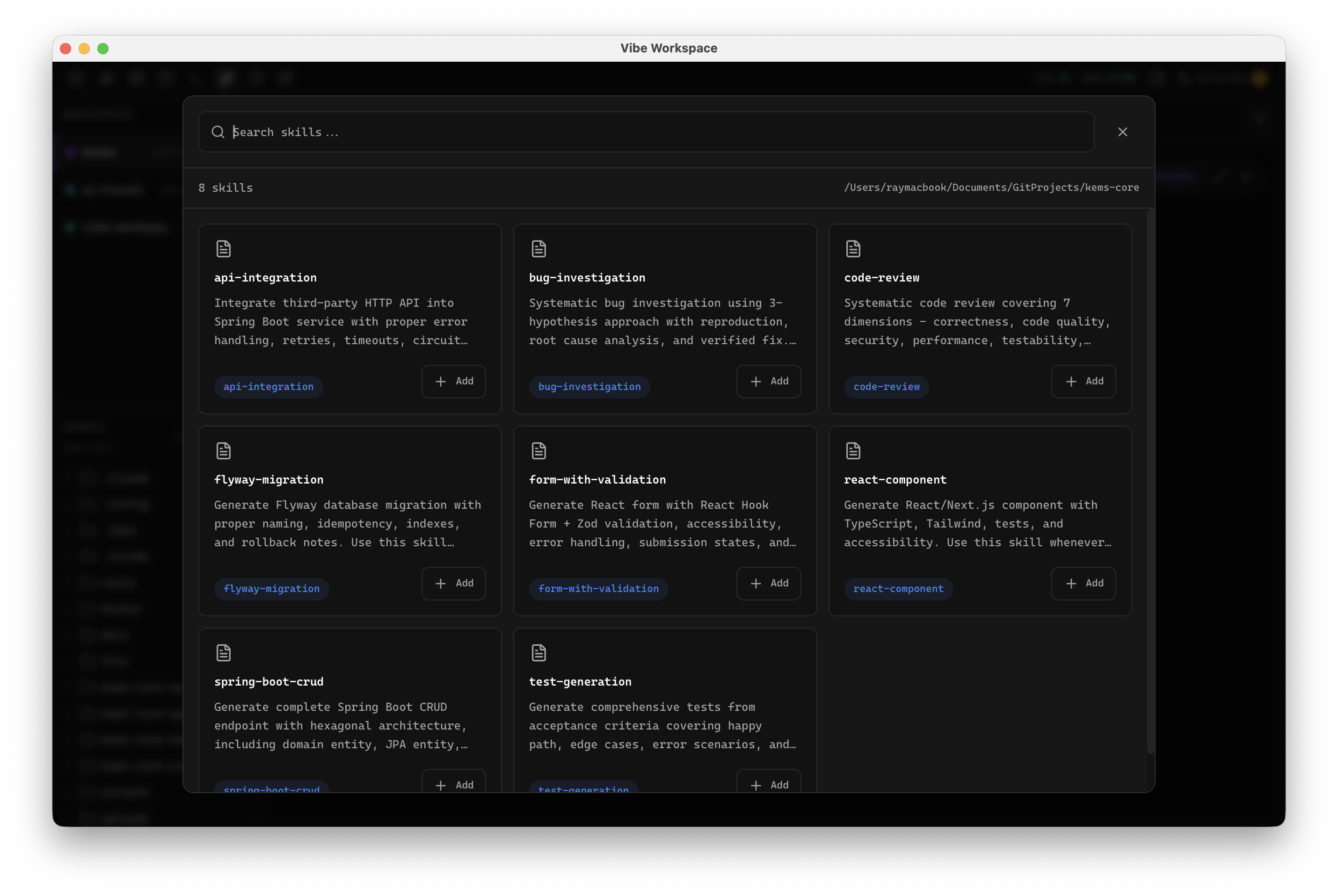
Learn moreBrowse, install, and manage AI agent skills with security scanning.
Browse local and remote AI agent skills by category, tool, and collection with security risk scanning.
Learn moreEdit and create AI agent skills with a Monaco code editor, collections, and favorites.
Learn moreEssential developer utilities: formatters, encoders, testers, and generators.
Format, validate, and minify JSON with syntax highlighting and error detection.
Learn moreDecode and inspect JWT tokens with header, payload, signature, and expiration checking.
Learn moreWrite and test regular expressions with real-time matching and capture group highlighting.
Learn moreCompare two text blocks side-by-side with line-by-line diff highlighting.
Learn moreEncode and decode Base64 strings with support for text and file inputs.
Learn moreEncode and decode URL components with proper handling of special characters.
Learn moreGenerate MD5, SHA-1, SHA-256, and SHA-512 hashes for text or files.
Learn moreGenerate UUID v4 values with one click, copy to clipboard, or generate in bulk.
Learn moreConvert between Unix timestamps, ISO 8601, and human-readable dates across time zones.
Learn moreConvert between camelCase, snake_case, PascalCase, kebab-case, CONSTANT_CASE, and more.
Learn moreWrite and preview Markdown with live rendering, syntax highlighting, and table support.
Learn morePan Mermaid diagrams like a map while preserving node, link, and context-menu interactions.
Learn moreOpen rendered Mermaid diagrams in a source-and-canvas lightbox editor with draggable nodes and styled edges.
Learn moreOpen an Excalidraw-powered whiteboard for architecture sketches, screenshot markup, and quick ideas.
Learn morePreview your web apps with an embedded browser and DevTools.
Preview your local dev server with browser tabs, URL bar, back/forward, and refresh controls.
Learn moreOpen Chrome DevTools for network inspection, console debugging, and element inspection inside the workspace.
Learn moreOpen HTML, PDFs, audio, and video files in the built-in browser or your system browser from the file explorer.
Learn moreRender PDFs, videos, and audio files inline without switching to an external app.
Learn moreManage environment variables and monitor active ports.
Structured env editor with key-value pairs, secret masking, and multi-file support.
Learn moreView active ports and processes with filtering, then kill processes directly from the interface.
Learn moreExpand any PID to see user, CPU, memory, start time, state, working directory, and command line.
Learn morePrompt history, session management, and screenshot annotation.
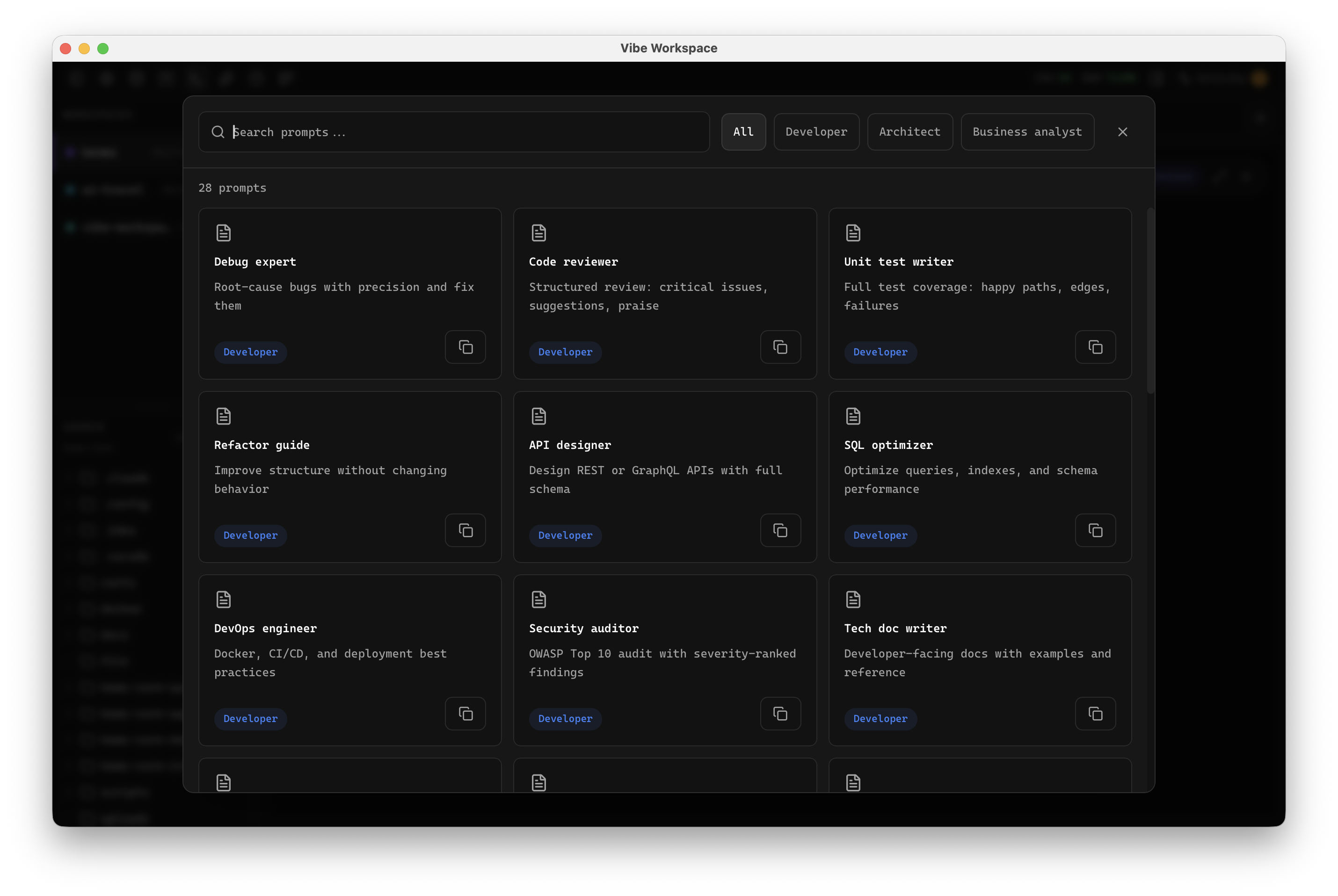
Search and browse AI prompt history across agents, then copy, delete, and track prompts per session.
Learn moreBrowse, search, and resume past AI sessions from Claude Code, Codex, and Gemini CLI.
Learn moreSolve Git merge conflicts visually with multi-agent context and automated three-way merge assistance.
Learn moreTrack every file modification any AI agent makes and review, accept, or revert work per file.
Learn moreAnnotate screenshots and embed them directly in AI prompts for visual context.
Learn moreQuick command search and execution for any feature, setting, or action.
Learn moreSave multiple OAuth logins per AI agent and switch between them with OS-keychain encryption.
Learn moreSee tokens spent and estimated cost per AI agent and model from local session files.
Learn moreBrowse, search, edit, graph, and export AI agent memories across all projects.
Learn moreMove native prompt text into the overlay or return unsaved overlay text before closing.
Learn moreDelegate tasks to another installed agent by typing an agent mention inside any AI terminal.
Learn moreExpose database connections to AI agents through a safe MCP server with schema and query tools.
Learn moreResume past AI sessions with editable command cards and the right launch flags.
Learn moreReflow markdown, detect fenced code blocks, and format embedded JSON, XML, or HTML inside prompts.
Learn moreLet AI agents run HTTP requests through the active project environment without pasted curl commands.
Learn moreSend any sticky note straight to an AI terminal as a prompt.
Learn moreControl whether elapsed-time chips appear on AI terminal tabs during long agent runs.
Learn moreThemes, keyboard shortcuts, layout presets, and terminal fonts.
Choose dark, light, or system-following themes designed for comfortable all-day coding.
Learn moreCustomize shortcuts with conflict detection so duplicate bindings are caught before they create mistakes.
Learn moreChoose JetBrains Mono, Fira Code, Cascadia Code, or custom fonts with adjustable size and line height.
Learn moreConfigure MCP servers for Claude Code, Gemini CLI, Codex, and OpenCode from one settings tab.
Learn moreList detected AI agents, runtimes, package managers, dev tools, database CLIs, versions, and diagnostics.
Learn moreRemap shortcuts by category and highlight modified shortcuts so changes remain visible.
Learn moreReorder Browser, Editor, HTTP Client, Database, Mobile, AI Diff, and Tool Box tabs by dragging headers.
Learn moreMove project list, groups, sidebar order, themes, and workspace preferences as a JSON bundle.
Learn moreShip icon glyphs for terminals, editor, and AI panels without requiring system-wide font installs.
Learn moreOpen a searchable overlay listing every shortcut and jump directly to Settings to rebind anything.
Learn moreInspect, edit, and search the PATH used by terminals, Docker, Git, and SSH processes.
Learn moreAdjust reading font size from the markdown toolbar and remember the choice across sessions.
Learn moreRun an end-to-end MCP health check with pass, warn, fail, and one-click fixes for common failures.
Learn moreInstall or remove MCP servers for OpenCode alongside Claude, Codex, and Gemini.
Learn moreReset specific settings categories independently without affecting unrelated areas like Git accounts.
Learn morePick font family and size per sticky note, with choices remembered across sessions.
Learn moreUse warm, calm default themes tuned for long coding sessions.
Learn moreFork built-in themes and edit JSON or form controls while the app repaints live.
Learn moreUse built-in presets that place terminals in the center or right side while keeping project navigation nearby.
Learn more